How to treat by therapy plan (short sessions)
On this page
If you see a patient several times a week, you do not need a full clinical record at every visit. You do the initial evaluation once, create a therapy plan, and each visit opens a short session that already carries the plan’s diagnosis, CUPS, purpose and cause.
All you write in each session is the progress note: which objectives you worked on, how the patient responded and what activities you did. You sign, and the session is ready for the invoice and the RIPS.
The plan appears in speech therapy, occupational therapy, physiotherapy, respiratory therapy and psychology practices: one professional with that specialty in their profile is enough.
Create the plan (once per patient)
The shortest way is from the initial evaluation. When you open an evaluation that is already signed, Does this evaluation start a treatment? appears at the top. Press Create therapy plan: the plan brings the evaluation’s diagnoses.
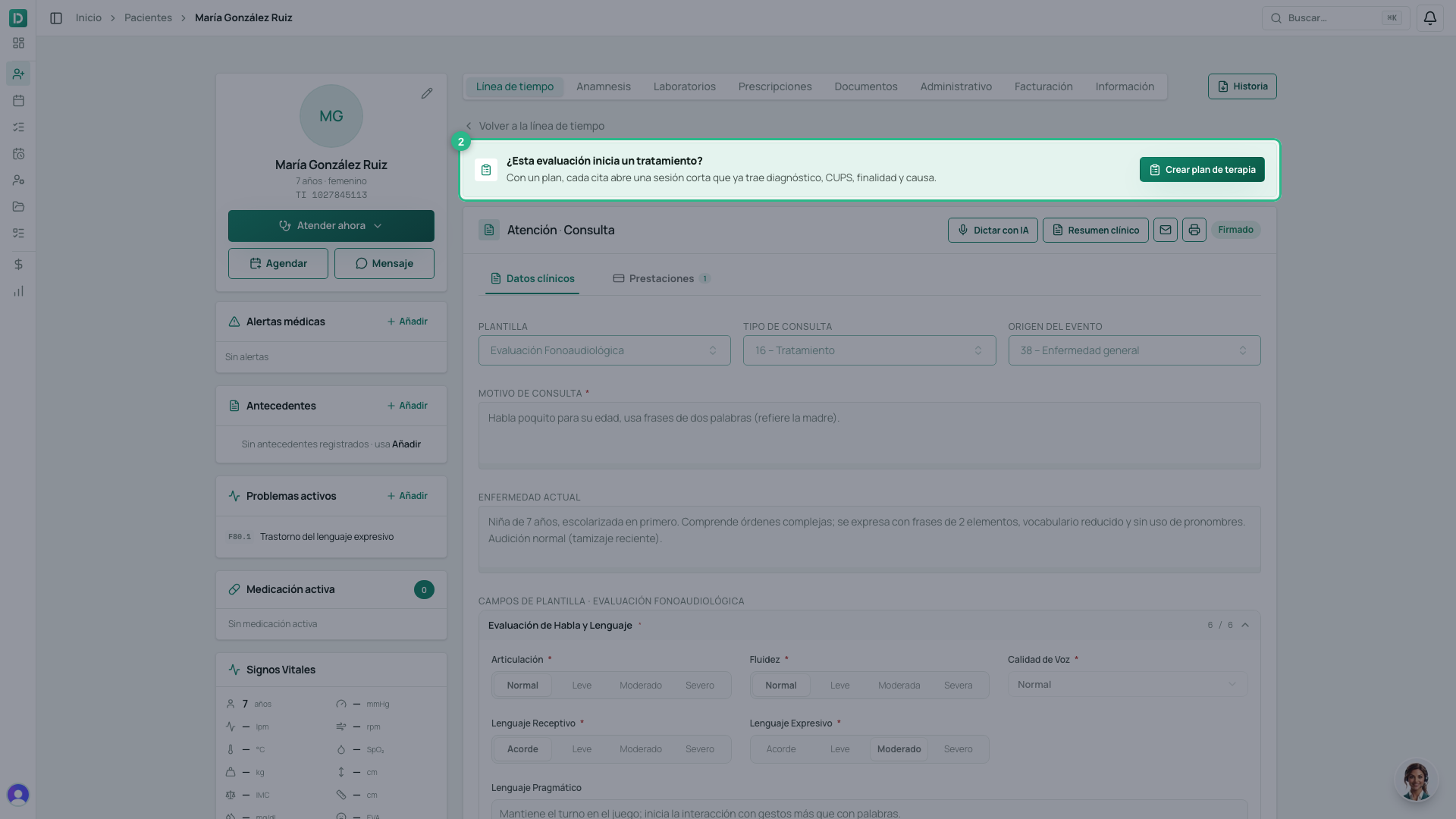
If there is no evaluation in the system, open the patient’s record and press Attend now → Therapy plan. The same form opens.
- Write the plan name, for example Expressive language.
- Check the diagnoses (ICD-10). One is the principal; the rest are related.
- Write the therapy objectives, one per field. Press Add objective to add another.
- Check the CUPS procedure, the purpose and the cause. They come
filled in for your specialty (in speech therapy,
937101and 16 – Treatment). - Set the plan length: a fixed number of sessions (12 by default), or until goals are met.
- If you want, set sessions per week, the days and length, and a review date.
- If the family already bought a package, pick it in Purchased package.
- Press Create plan.
The plan sits at the top of the patient’s timeline, with Edit plan, Re-evaluate and Close plan.
Record each session
If the patient has an appointment, start from Appointments. The appointment shows Session 1 of 12 (or whichever number is next) and the Start session button.
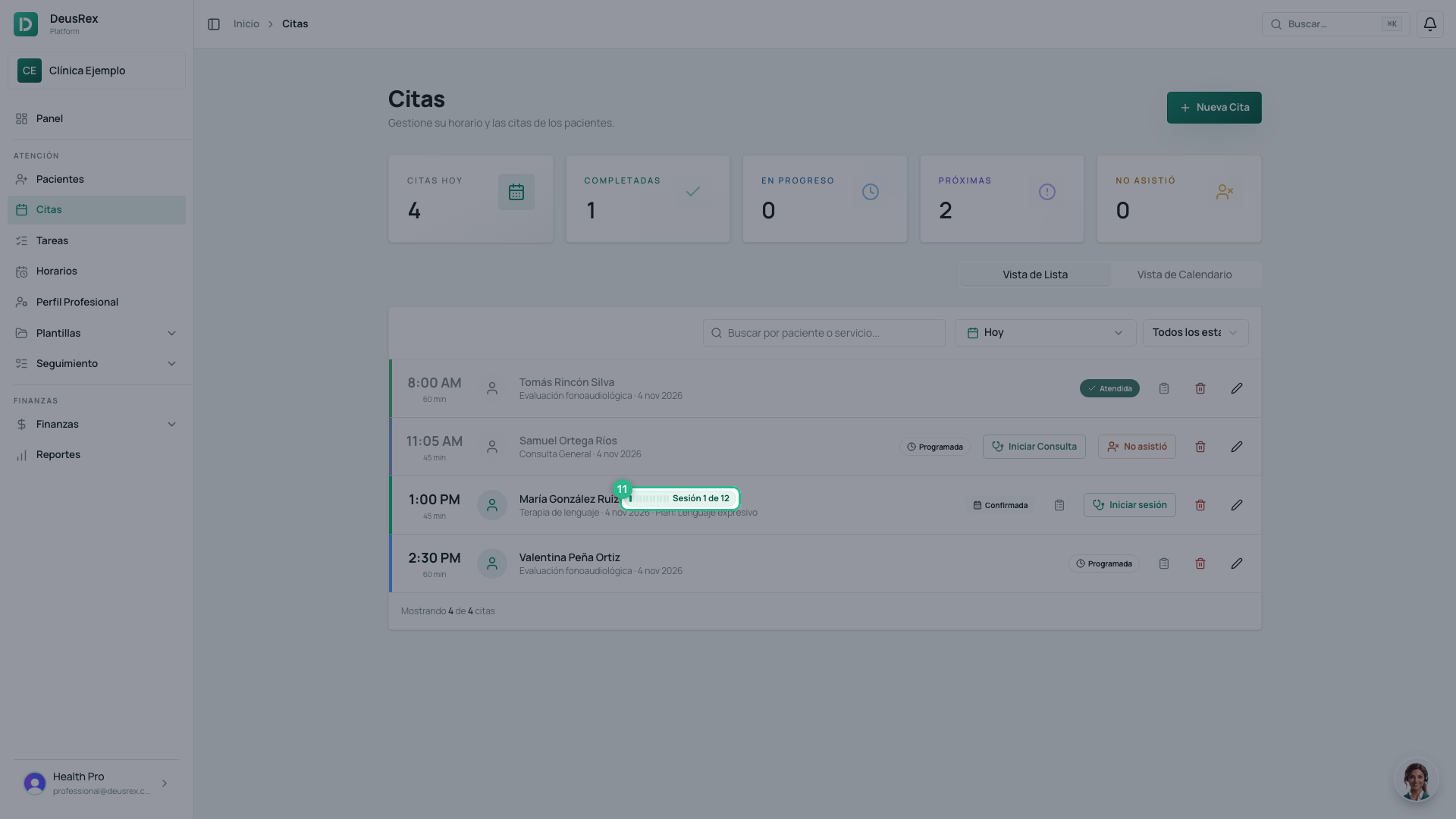
- Press Start session. The appointment moves to In progress.
- Under Objectives worked on, tick at least one.
- Under Patient response, choose the result for each ticked objective: Achieved, In progress or Not achieved.
- If you want, write observations, for example what the guardian tells you.
- Under Activities, write what was done in the session. You can also dictate the note with AI.
- Next session plan is optional.
- Press Sign session. The appointment moves to Completed and the plan’s progress goes up on its own.
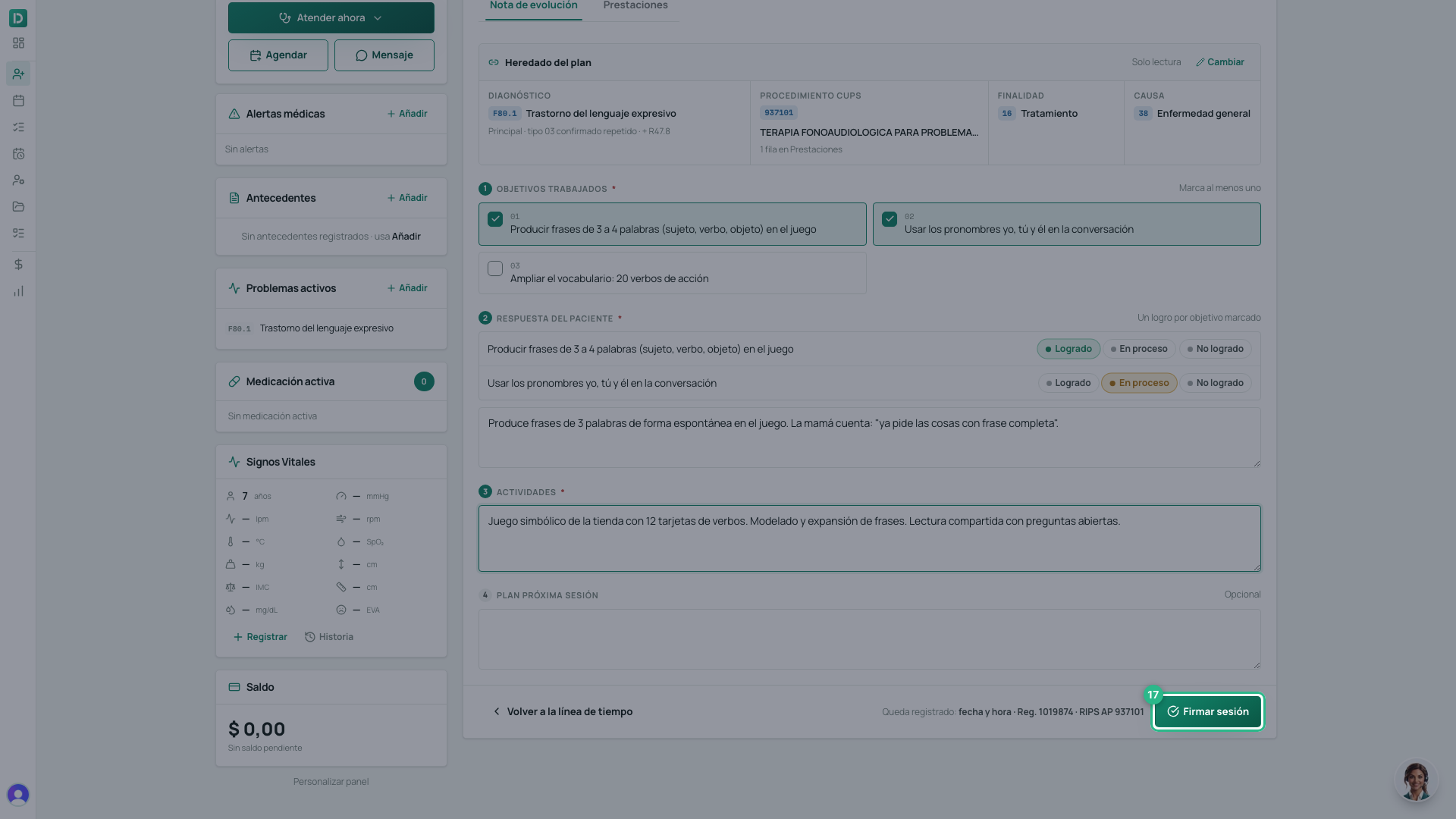
To sign, the session needs at least one objective, the result of each one and the activities. If something is missing, the button tells you what.
Without an appointment (the patient came in without booking): open their record and press Attend now → Therapy plan. The plan’s next session opens. If the plan has a package with sessions left, this session is drawn from the package at that moment. Do not use this path for a patient who already has an appointment today: the appointment already drew its session when it was booked.
Sign the same day. The rule (Res. 1995 of 1999) requires each session to be written and signed by the professional who saw the patient, at the time. That is why nobody else can sign it for you.
What each session inherits from the plan
In the session you see Inherited from the plan: the principal diagnosis (as confirmed repeat) and a row under Services with the plan’s CUPS. That is what later goes on the invoice and the RIPS. You do not need to touch it.
If one session was different, press Change: the change applies to that session only. For the following ones, use Edit plan.
Packages and alerts
If the patient bought a session package, the plan shows it under Plan packages. To add another, press Link package. A paid package for the plan’s own service is added on its own.
The session is drawn from the package when the appointment is booked, not when it is signed. That is why a package session shows under Services at $0: it was already paid with the package. The card warns you when few sessions are left or when the package is about to expire.
When the plan reaches its last session or its review date, the card asks you to Re-evaluate. That is where you decide whether the plan ends, is extended or changes.
Tip
Sign the note before you see the next patient. It takes less than a minute, and an unsigned session does not reach the RIPS.