How to generate the RDA of a consultation
On this page
The RDA (Resumen Digital de Atención en Salud, Digital Care Summary) is the summary of every consultation that Resolution 1888 of 2025 requires to be sent to the Ministry of Health’s interoperable clinical record platform. It lets a professional at another institution see the patient’s diagnoses, orders and details. It uses the standard FHIR format the Ministry defines.
DeusRex builds it for you from the signed consultation.
Before you start
Three details of your practice are set once:
- NIT vigente desde, in Facturación DIAN, next to the NIT.
- Habilitada desde, in your Professional profile, under the REPS data.
- The REPS service of your consultation services, in Tu Negocio → Servicios.
And on each patient’s record: document type, date of birth, country of origin, ethnicity and disability. In Colombia those last two are required when registering the patient.
Steps
- Open the patient’s consultation.
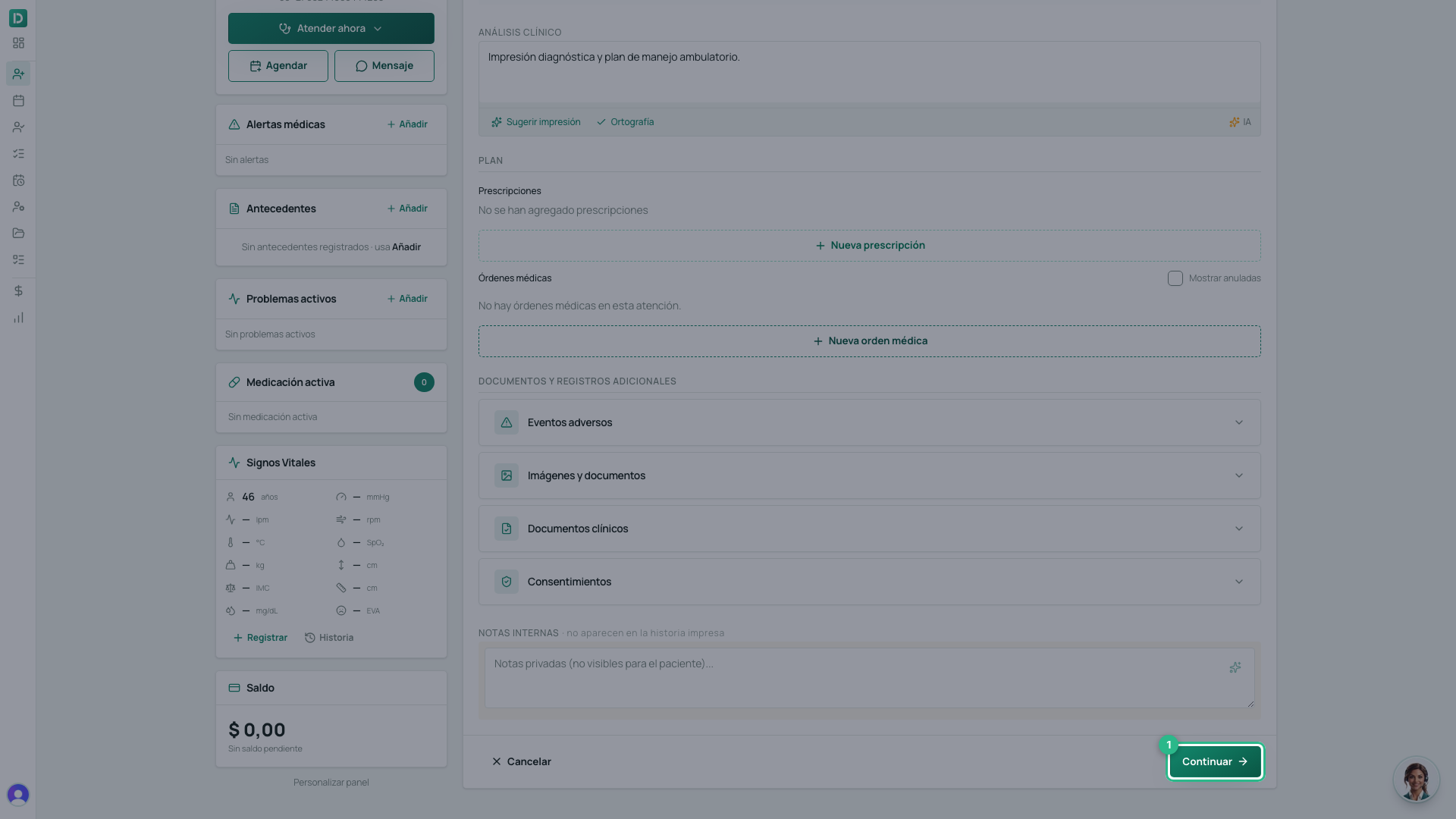
- Go to the Prestaciones tab. Above Firmar atención you see whether the consultation is ready for the RDA or what it lacks. Each missing field has a Completar button that takes you to where it is filled in.
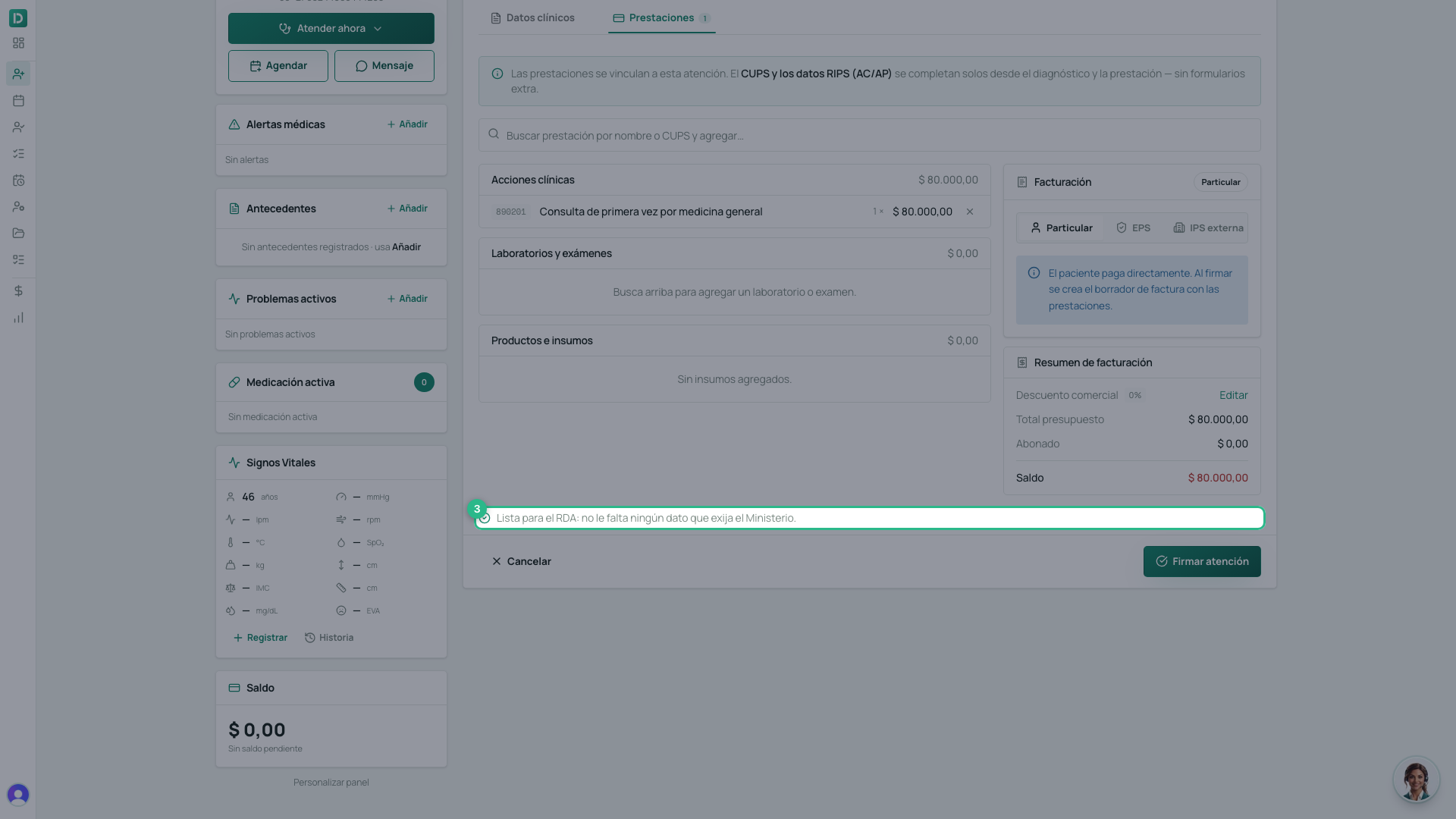
- Sign the visit as usual. The notice does not stop you signing: it only warns you in time.
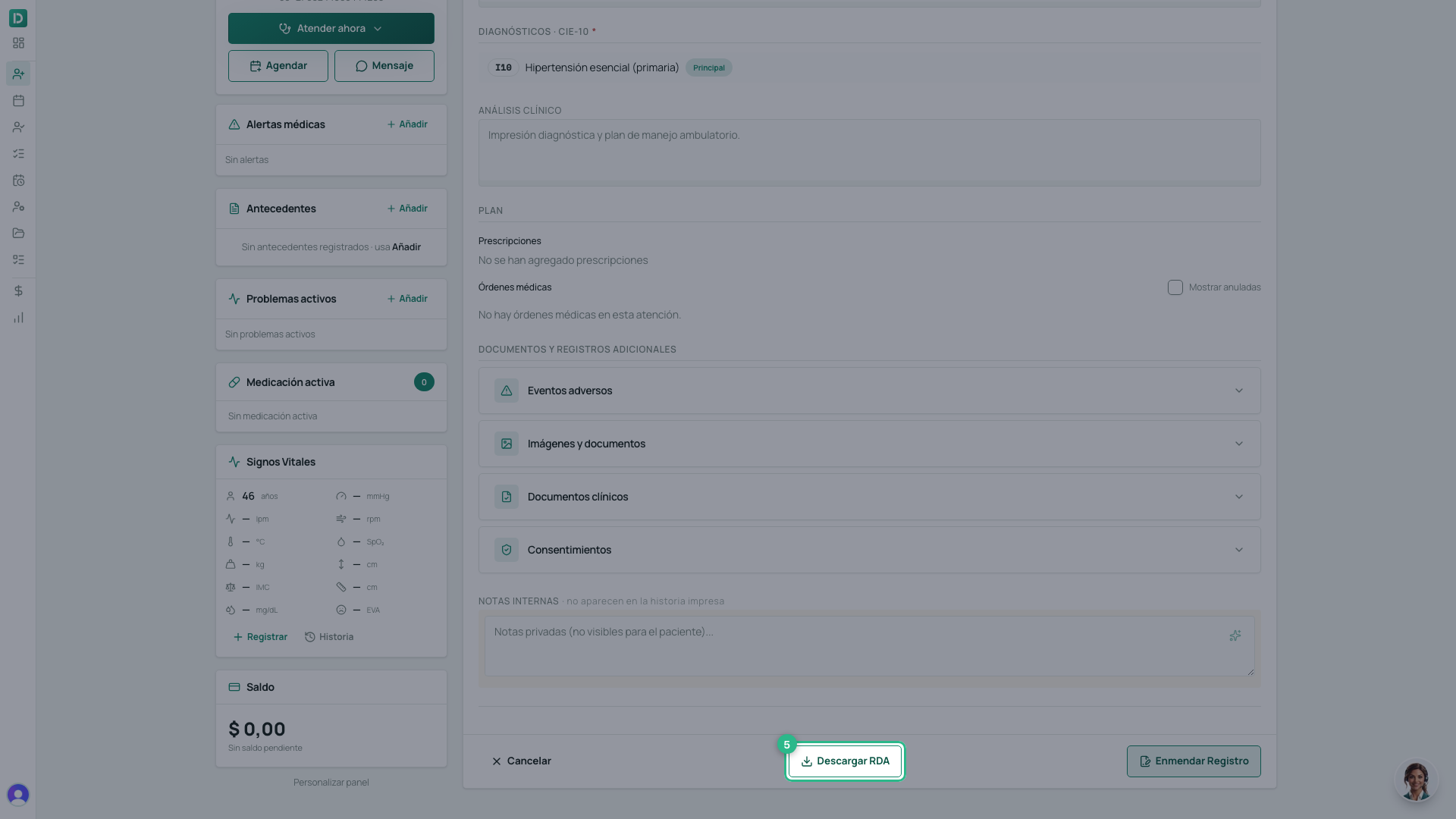
- On the signed consultation, press Descargar RDA. The FHIR document
(
.json) downloads, with the visit PDF inside as the epicrisis.
If something is missing when you download
If the visit was signed without something the Ministry requires, DeusRex does not make it up: a window says what is missing and where to complete it. Fill it in and download again.
What the RDA carries
- The patient, with their document, nationality, ethnicity, disability and place of residence.
- Who attended, with their profession according to ReTHUS.
- Your practice, with its NIT and REPS code.
- The consultation: modality, service, CUPS code, external cause and ICD-10 diagnoses.
- The orders with their CUPS codes.
- The visit as a PDF, as the epicrisis.
Every download is recorded in the access log of the patient’s record.
Sending it to the Ministry
For DeusRex to send the RDA on signing, your practice pastes into DeusRex the IHCE keys the Ministry assigns it. See How to turn on sending the RDA to the Ministry.