How to turn on sending the RDA to the Ministry (IHCE)
On this page
Resolution 1888 of 2025 requires sending the summary of every consultation (the RDA) to the Ministry of Health’s interoperable clinical record (IHCE) platform. DeusRex sends it for you when each consultation is signed. It only needs the two keys the Ministry assigns to your practice.
Before you start
DeusRex reuses what you already set up, so these must be in place:
- The NIT and its valid since date, in DIAN billing.
- The REPS code, which comes from the verification in your Professional profile.
If one is missing, the step says so and links to where it is filled in.
Getting the keys (once)
The person who represents the practice before the Ministry does this. It takes a few days, because a Ministry officer assigns the keys.
- Go to Hércules (link), click the IHCE icon and register as your provider’s Delegado Administrativo (enter the NIT without the check digit).
- Go to IHCE – Administración de llaves de acceso (link) and click Inscripción Token.
- When the Ministry assigns the keys you will see a ClientID and a ClientSecret. Use the production ones.
If the Hércules form does not accept your document (for example, a 10-digit cédula in a 9-digit NIT field), write to the Ministry help desk: soporte_ihce@minsalud.gov.co or 601 330 5043.
Pasting the keys into DeusRex
- Go to FEV & RIPS → Settings. The Interoperable clinical record (IHCE) step is below DIAN, REPS and SISPRO.
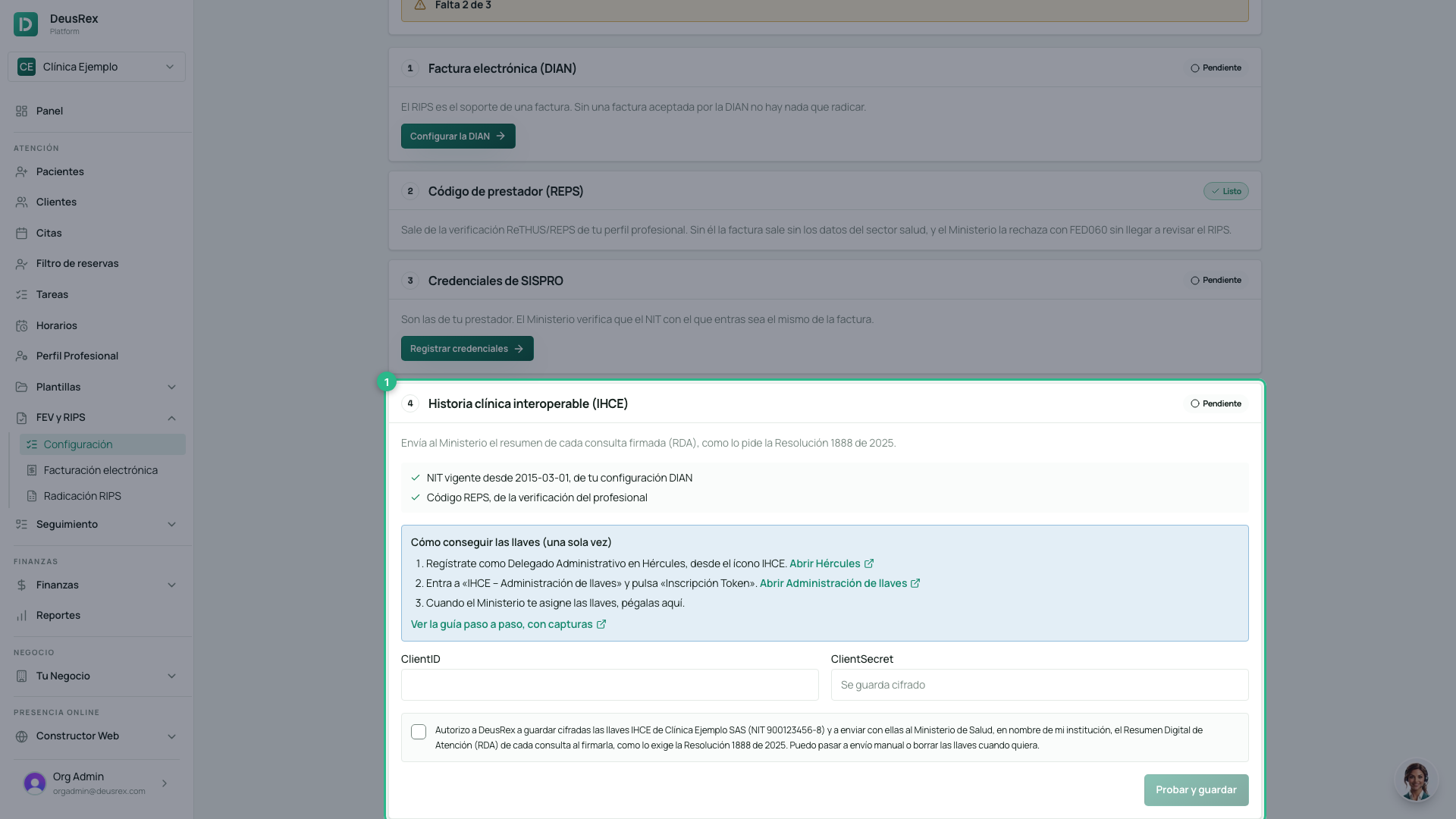
- Paste the ClientID and the ClientSecret.
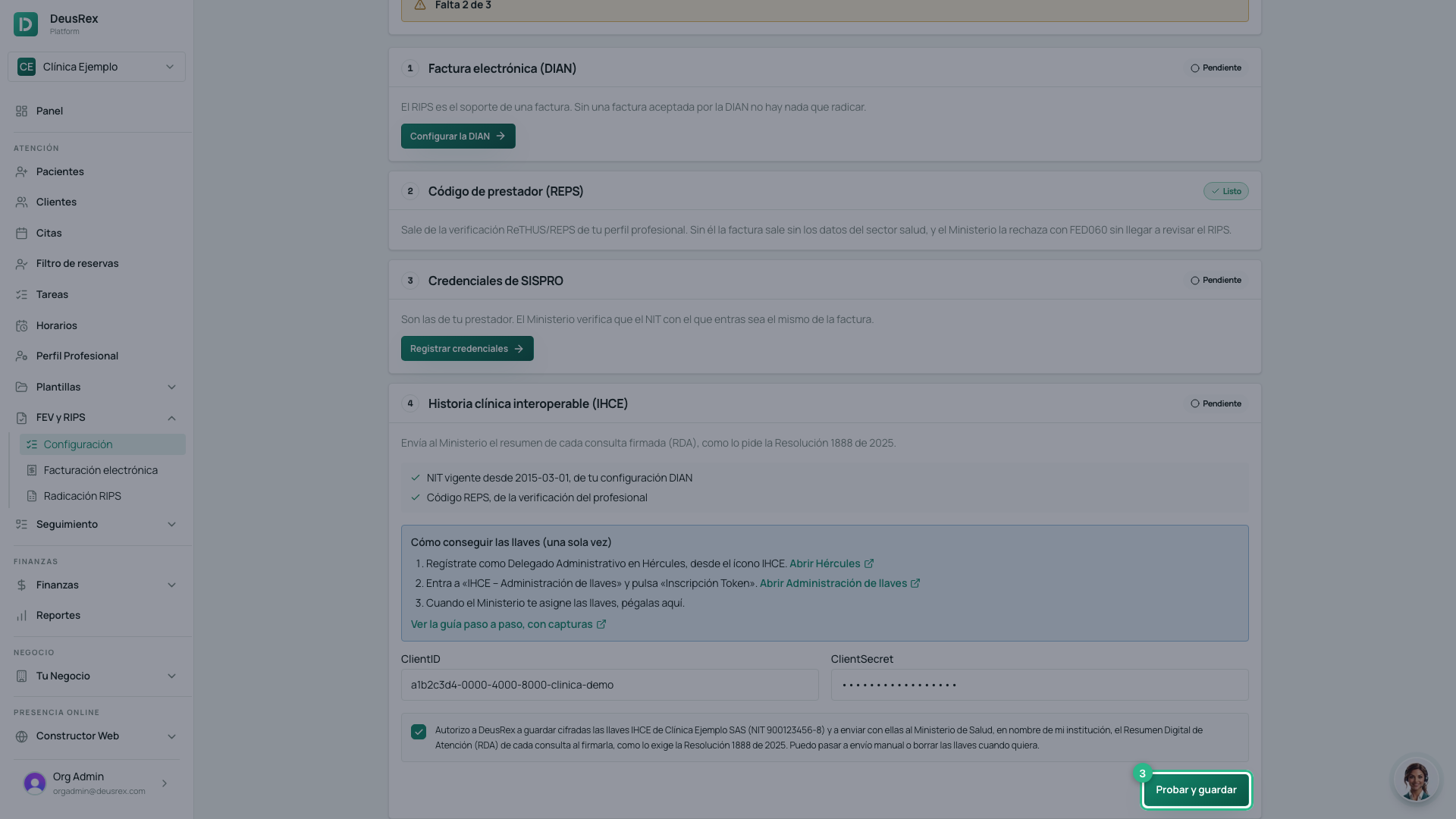
- Tick the authorization and click Probar y guardar (test and save). DeusRex tests the keys with the Ministry before keeping them: if they were copied wrong, it tells you and saves nothing.
Done. The step shows Ready, and every consultation you sign is sent on its own.
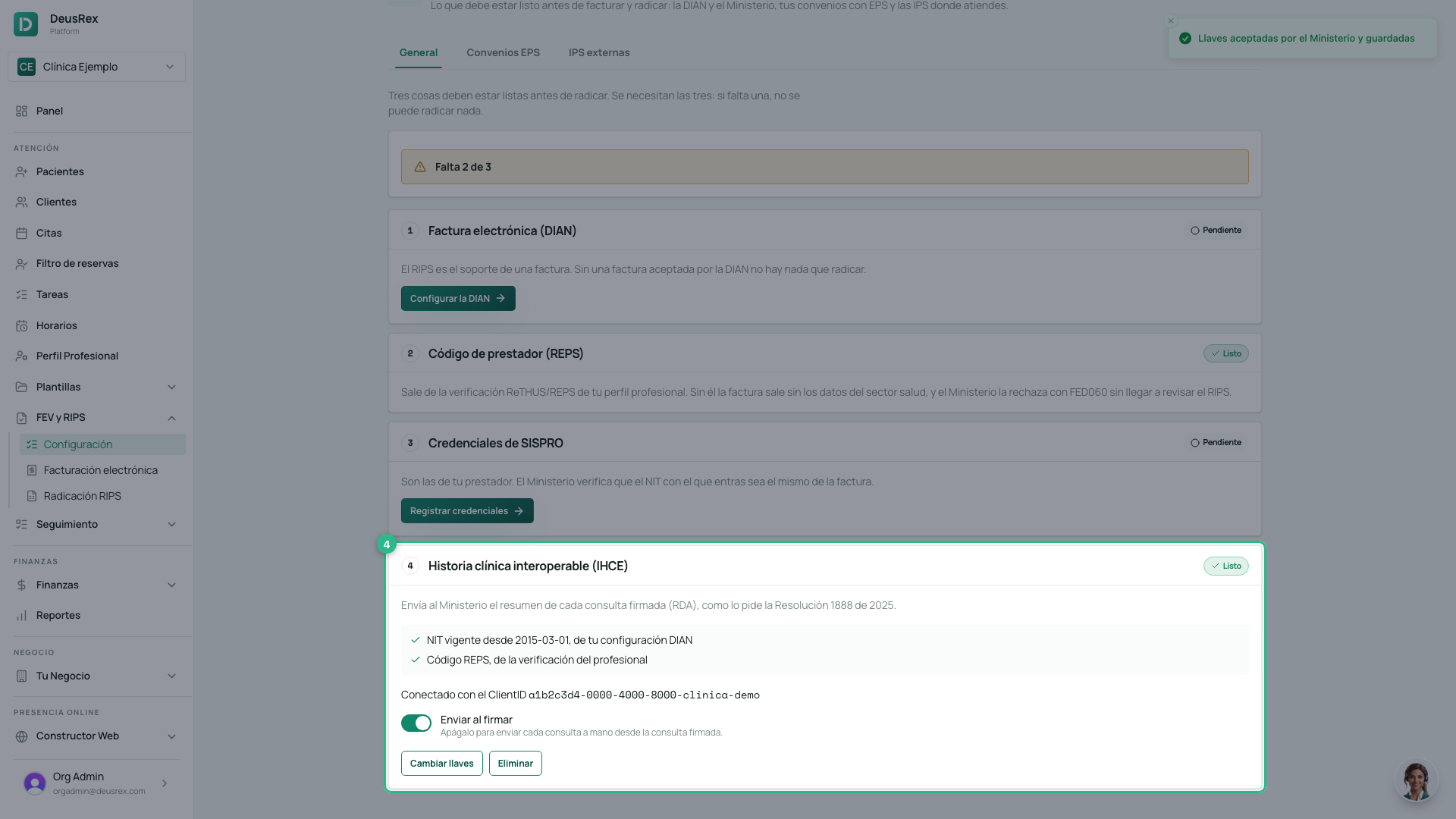
Sending by hand
If you prefer to review first, turn off Send on signing. Every signed consultation will show a Send to the Ministry button.
What each consultation shows
On a signed consultation, one line says how its RDA is doing:
- Sent: the Ministry received it, with the date.
- Queued: the Ministry did not respond; DeusRex retries on its own.
- Rejected: the Ministry says what to fix. Fix it and click Resend.
If the keys stop working
The keys expire. When the Ministry stops accepting them, the step is marked Review. Ask for new ones in Administración de llaves and paste them with Change keys. The consultations that were waiting are sent on their own.
The keys are stored encrypted and DeusRex never shows them again. You can delete them at any time.