How to approve DeusRex team access
On this page
Nobody from the DeusRex team reads your clinic’s clinical records unless an administrator approves it: encounters, diagnoses, vital signs, intake forms, dental chart, prescriptions, clinical documents, therapy plans and consents. To give support, the team can see the rest of the clinic —schedule, patients, billing and settings— and every entry is logged. When support needs to check a record, they send a request with the reason and you decide. An approval lasts one hour; after that, they ask again if they need to.
Steps
-
When a request arrives you get a notification in the bell: “The DeusRex team asks to enter your clinic”. Open it, or go to Team (Equipo) in the sidebar.
-
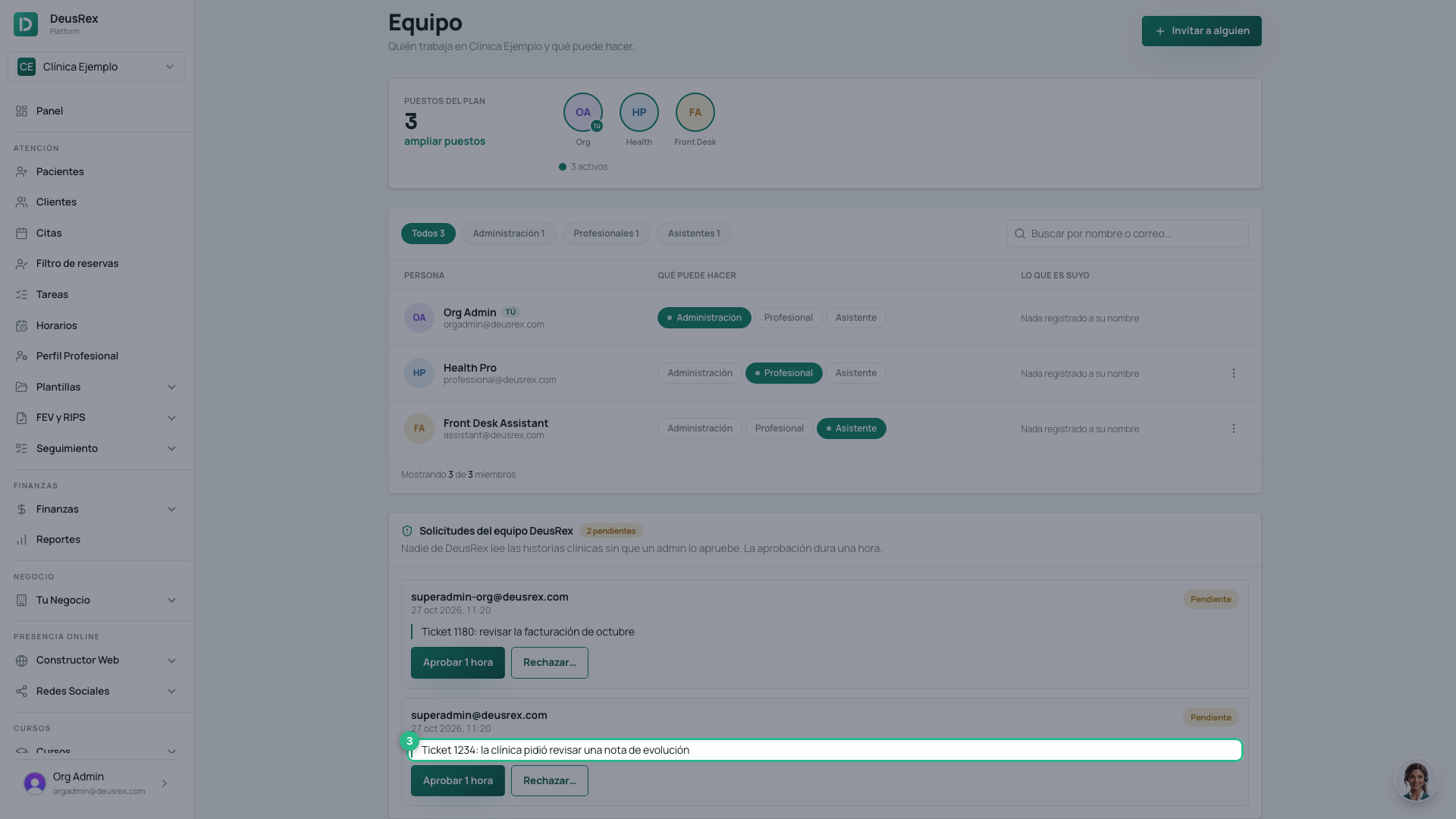
Under DeusRex team requests you see who sent it, when, and the reason they wrote.
-
Click Approve 1 hour if you agree. The person gets in right away and their access closes on its own when the hour is up.
-
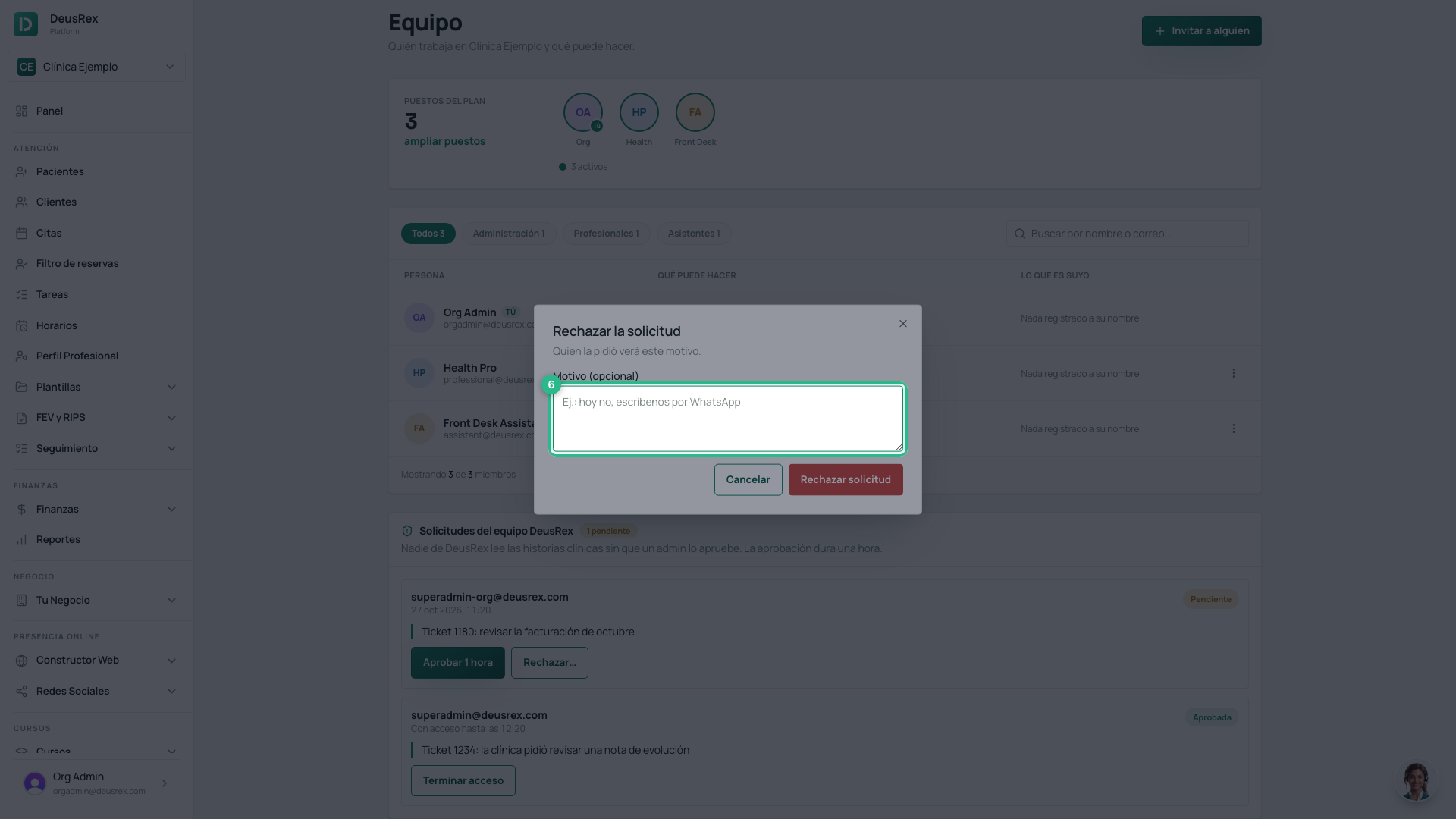
Otherwise click Refuse…, write why (optional) and click Refuse request. The person who asked will see your reason.
Emergency access
If your clinic has an urgent problem and support cannot wait for an approval, they can enter by marking This is an emergency (Es una emergencia). Then:
- You get a notification in the bell and an email right away: “The DeusRex team entered your clinic for an emergency”, with the reason.
- Under DeusRex team requests the access shows a red Emergency label and the time it lasts until.
- If you don’t recognise it, or it is no longer needed, click End access (Terminar acceso). The person loses access at that moment. The same button ends an access you approved before its hour is up.
Normal requests reach you by email too, with a button to approve or refuse them.
What is recorded
- Every request stays on the same card with its outcome: Approved, Refused or Lapsed.
- Under DeusRex team access, below it, you see every entry into the clinic and every clinical record they read, with the reason. That log cannot be edited.
- A request nobody answers lapses after 24 hours.
- Only the clinic’s administrators can approve. Nobody from DeusRex can approve their own request.